The problem
The console ran loud and got very hot during use.
Diagnosis and testing
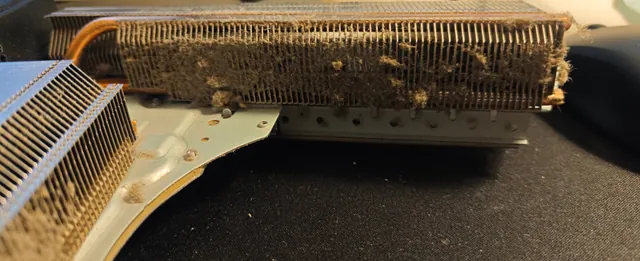
Opening the console showed where the noise and heat were coming from. Dust coated the fan blades and hub, the grille above the fan was clogged, and the heatsink fins under the fan were packed with it. With less air getting through, the console runs hotter and the fan has to spin faster to keep up, which is what makes it loud.
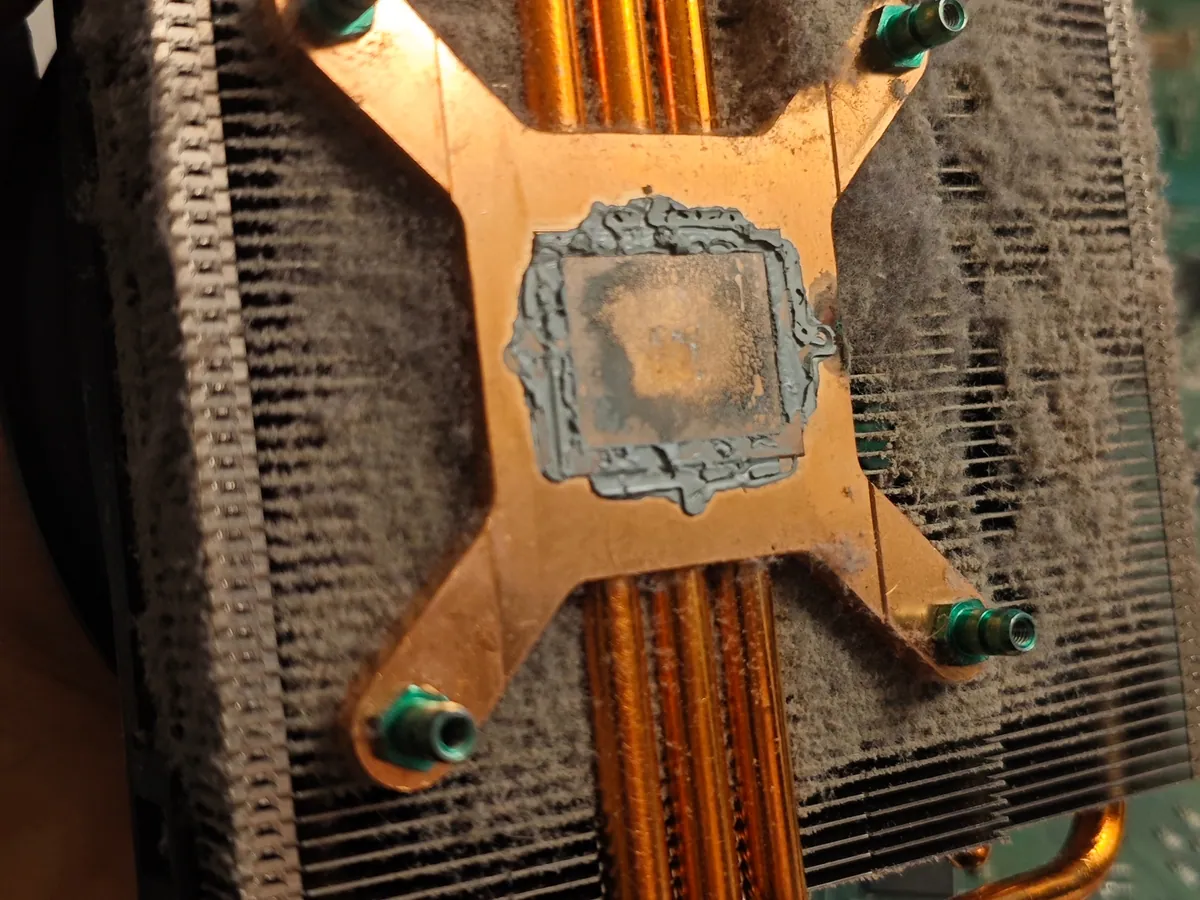
Under the heatsink, the old thermal paste on the processor had dried out and cracked, with dust settled on top of it. The copper base of the heatsink showed the same dried paste.
Work carried out
- Took the console apart and removed the fan and the heatsink
- Cleaned the dust out of the fan, the heatsink fins, the grilles and the inside of the console
- Removed the old thermal paste from the processor and the heatsink base
- Applied fresh thermal paste and refitted the heatsink
- Reassembled the console and tested it over several hours of gaming in Gears of War, Forza and EA Sports FC 27
The result
Repair completed: after the clean-out and the new thermal paste, the console ran several hours of Gears of War, Forza and EA Sports FC 27 noticeably quieter and without getting hot.
I cleaned the console and replaced the thermal paste in the same visit, so I can't say how much of the improvement came from each step.
The Xbox One doesn't show its temperatures to the user, and I didn't measure the noise with a meter. The result is based on several hours of gaming and how the console sounded and felt afterwards.
What this case shows
On the original Xbox One the fan sits directly on top of the heatsink, so dust collects between the heatsink fins where it can't be seen through the vents. If the console has got louder over time, that is usually the fan working harder because heat isn't getting out. A clean inside and fresh thermal paste on the processor is the first thing worth doing.